YouTube SEO for Small Channels: Titles, Descriptions and Tags
Why good videos get no views
Most small channels do not fail because of bad videos. They fail because nobody finds the video in the first place.
YouTube cannot watch your video the way a person does. It reads your title, description and tags to understand the topic, then tests the video with a small group of viewers. If the words are unclear, YouTube does not know who to show it to. If the title is boring, the viewers it does reach do not click.
YouTube SEO means fixing those two problems: helping YouTube understand your video, and giving people a reason to click. You can do both in about ten minutes per video.
1. Write the title first
The title does the most work. It tells YouTube the topic and it decides whether a viewer clicks.
- Put the main keyword near the start. Use the exact words people type in search. "How to Speed Up a Slow Laptop" is found more easily than "My Laptop Was Dying, So I Did This".
- Keep it short. YouTube allows 100 characters, but long titles are cut off on phones. Aim for 60 characters or fewer.
- Promise one clear result. A number, a time or an outcome works well: "5 Free Settings", "in 10 Minutes", "Without Any Software".
- Stay honest. If the video does not deliver what the title promises, people leave in the first seconds, and YouTube stops showing it.
Examples:
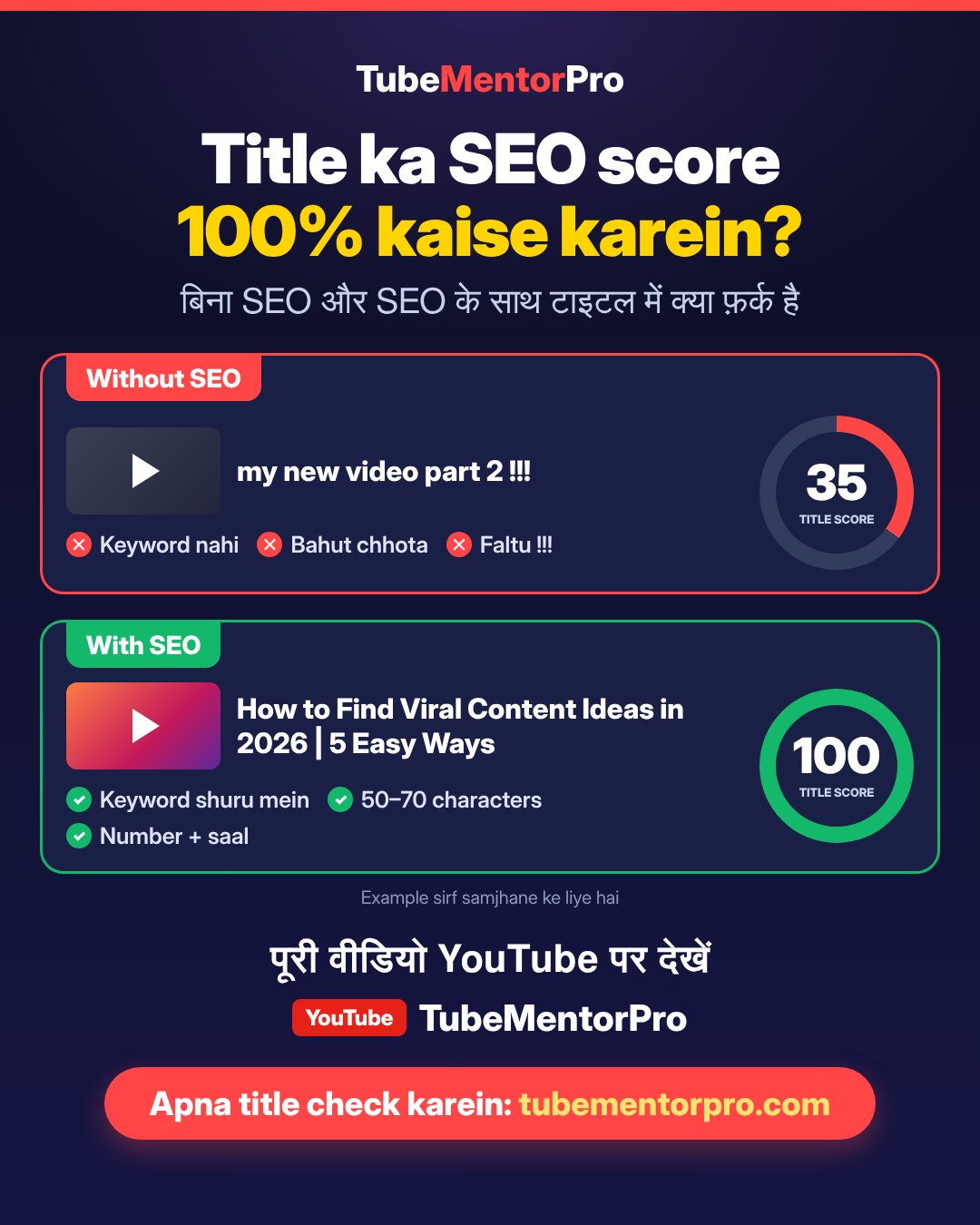
Weak: Laptop tips video part 3
Better: How to Speed Up a Slow Laptop: 5 Free Settings
Weak: My new phone!!
Better: Best Budget Phone for Students? One Week Honest Review
Weak: Editing tutorial
Better: How to Edit YouTube Videos on a Phone for Free
A quick test: read your title to a friend. If they cannot say what the video is about and why they should watch it, rewrite it.
2. Use the description properly
Most beginners write one line or leave the description empty. That wastes the biggest space YouTube gives you to explain your video.
- The first two lines matter most. They show in search results and above the "more" button. Say what the viewer will learn, and include your main keyword naturally.
- Write 150 to 300 words. Explain the video in plain sentences. Use related words a viewer might search, such as "slow laptop", "Windows startup" and "free up storage".
- Add chapters. List timestamps starting at 0:00, with at least three chapters. Viewers jump to the part they need, and chapters can appear in search.
- Finish with links. Add related videos from your channel, a playlist and your social pages.
Do not paste a long list of keywords. YouTube treats that as spam, and viewers do not read it.
3. Add tags and hashtags, but keep them small
Tags matter less than the title and description. YouTube itself says they play a minimal role, mostly helping when a word is often misspelled. They still take one minute, so do them right.
- Use 8 to 15 tags. The first tag should be your main keyword.
- Use real search phrases, such as "how to speed up laptop", not single words like "laptop".
- Add common misspellings and your channel name.
- Never add famous names or trending topics that are not in the video. That breaks YouTube's rules on misleading metadata.
Hashtags are different from tags. Put 2 or 3 at the end of the description, such as #laptoptips. YouTube shows up to three above your title. Too many hashtags look like spam, and with more than 60 YouTube ignores all of them.
Checklist before you press Publish
1. The main keyword is in the first half of the title.
2. The title is 60 characters or fewer and promises one clear result.
3. The first two lines of the description explain the video and repeat the keyword.
4. The description has 150 words or more, plus chapters.
5. There are 8 to 15 tags, all about this video.
6. There are 2 or 3 hashtags at the end of the description.
7. The thumbnail and the title tell the same story.
SEO brings the click, the video keeps the viewer
SEO gets your video in front of the right people. It cannot make them stay. Start the video with the answer or the result, cut slow parts, and keep uploading on a fixed schedule. Small channels grow when both sides work together: people find the video, and then they watch it.
You can check all of this in one place with TubeMentorPro. Connect your channel, open any video, and see its SEO score for the title, description and tags, with suggestions to improve each one. Try it free at [https://tubementorpro.com]